

@shoppexio/storefront-react package instead of thousands of lines of copied code.
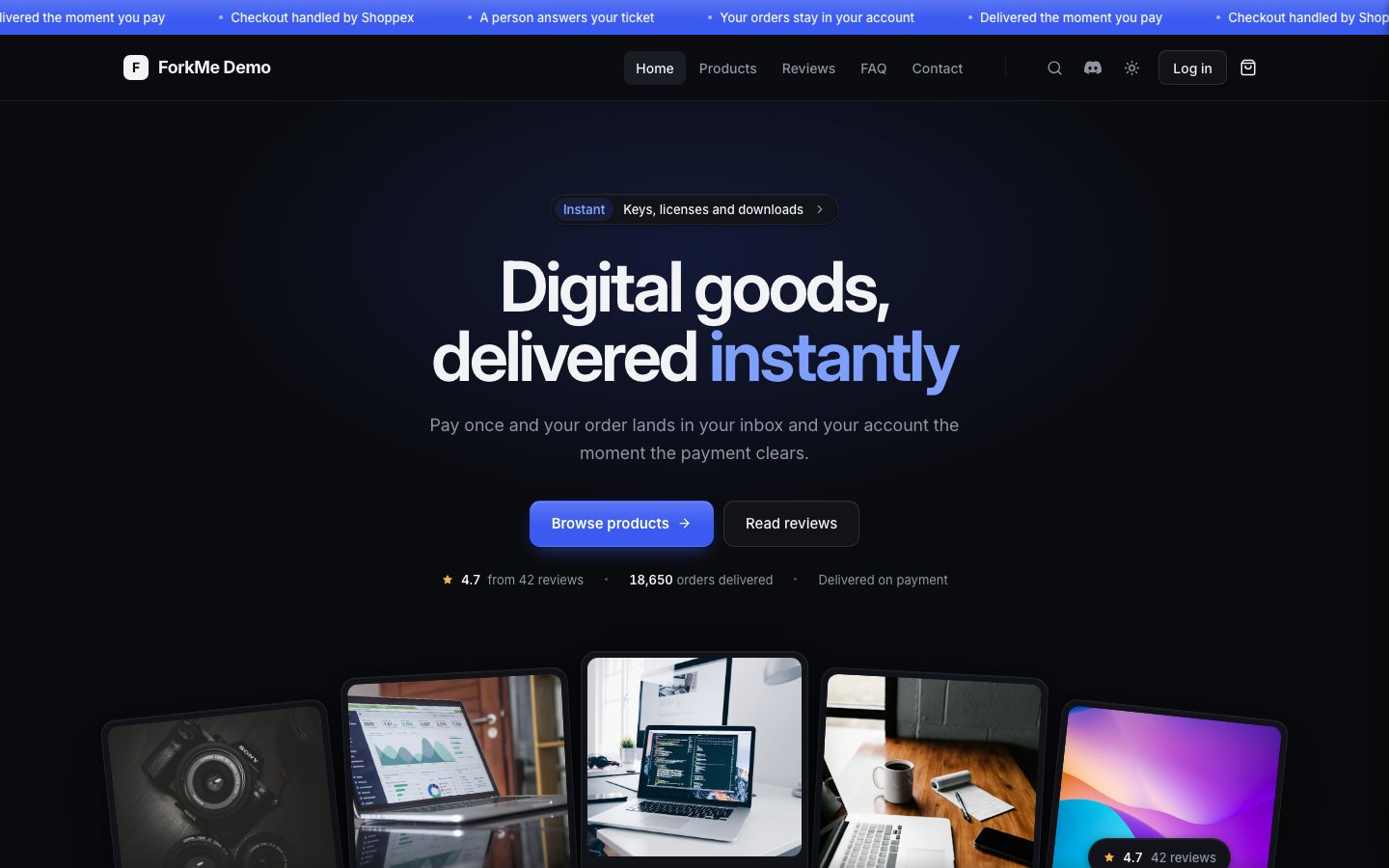
ForkMe home page, dark scheme (the default)
What ships
- Home: announcement bar, hero with a shelf of your real products, trust strip, categories, products, a promo band, how it works, reviews with your real tally, FAQ, store stats (off by default). Each section is one file and can be hidden in the Design tab.
- Product page: gallery, options, quantity, add to cart and buy now, delivery line, and tabs for the description, your own content tabs, reviews and FAQ.
- Pages: catalog with categories, search and sort, cart, checkout details, reviews, contact, terms, FAQ, your own pages, 404, and the customer account.
- Light and dark from one token set. Dark is the default; buyers switch in the header.
- Four colour presets in the Design tab: Cobalt, Emerald, Violet and Ember, each a complete light and dark pair.
AGENTS.mdat the project root: the folder map, the primitives, the platform rules and how to add a section. The dashboard agent reads it, and so do Cursor, Codex or Claude Code once you work locally.
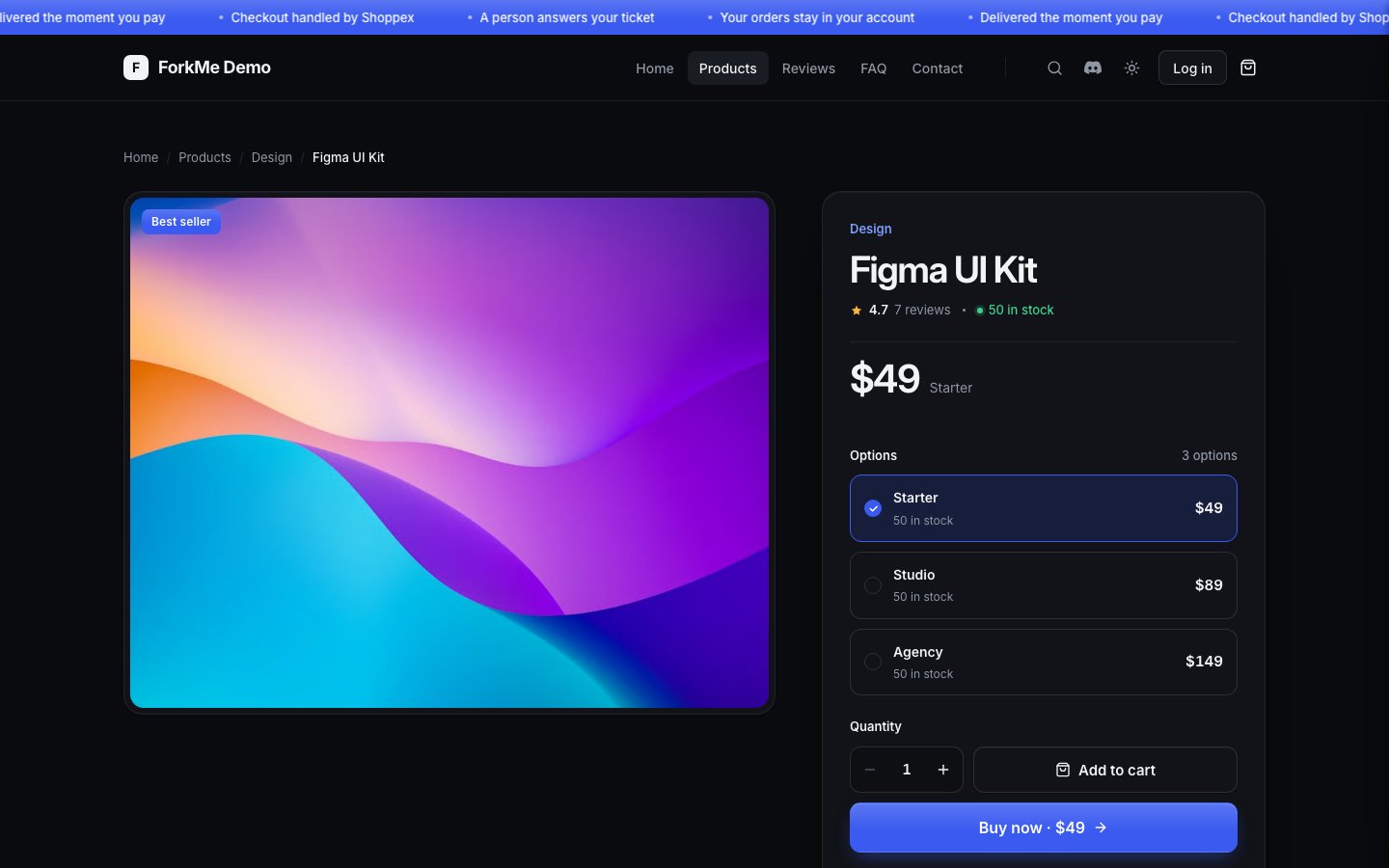
Product page: options, quantity and the buy box
Get the template
1
Create a storefront from ForkMe
Open Store → Storefronts, switch to Advanced and create a storefront from the ForkMe template.
2
Pull it
Install the Theme CLI, sign in, and pull the project:
3
Check it locally
bun run dev starts Vite without shop data and shows a short setup screen. Your real catalog appears in the dashboard preview after a push.4
Push and publish
Where things live
Start an AI session by asking the agent to read
AGENTS.md. It names the primitive to use for each job, so new UI stays inside the design system.
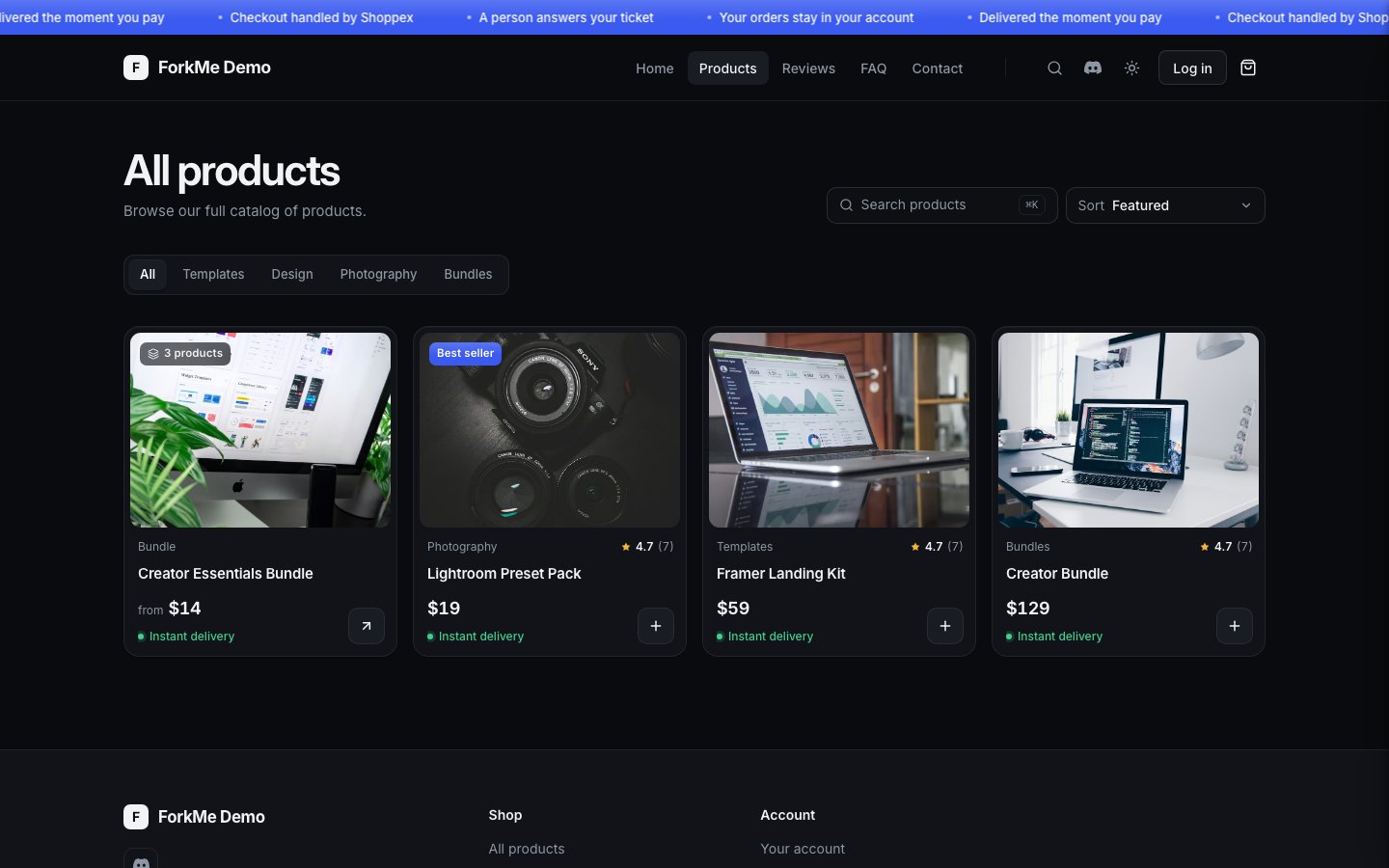
Catalog: category tabs, search, sort and product cards with their states
Theming
Opensrc/theme/tokens.css. The two palettes, the accent and the colours derived from it, the font stack, radii and shadows are the first hundred lines. Every Tailwind colour, font, size and radius utility in ForkMe maps to a token there, so a component cannot reach for a value outside the system.
- Without code: Design → Theme edits the same values, and the four presets set a full palette in one click.
- Accent: one colour. Hover states, the soft tint behind badges, the focus ring and the text colour on accent surfaces are derived from it, so changing the accent keeps contrast readable.
- Type: Inter, bundled with the project, so no font request leaves your domain.
- A primitive: change its rule in
src/styles/primitives.cssand keep the class name. Every page follows.
Content
The Design tab editssrc/config/content-defaults.json: section order, labels, the hero, the promo band, footer links. What a merchant saves is a partial override on top of those defaults; records merge, lists replace. content-schema.json declares the choices and bounds, so the Design tab shows a picker instead of a text field.
To remove a home section, set visible: false or delete its entry. To add one, create the file in src/sections/, register it, add its parser and defaults. AGENTS.md lists the steps.
Cart, checkout and the customer account
ForkMe depends on@shoppexio/storefront-react, pinned to an exact version. The package reads the shop data Shoppex puts on the page and gives the template hooks and models: useStorefront() for the catalog, useCart() for the cart, quotes and the hand-off to checkout, and helpers for reviews, pages, menus and the contact form. The template only draws them.
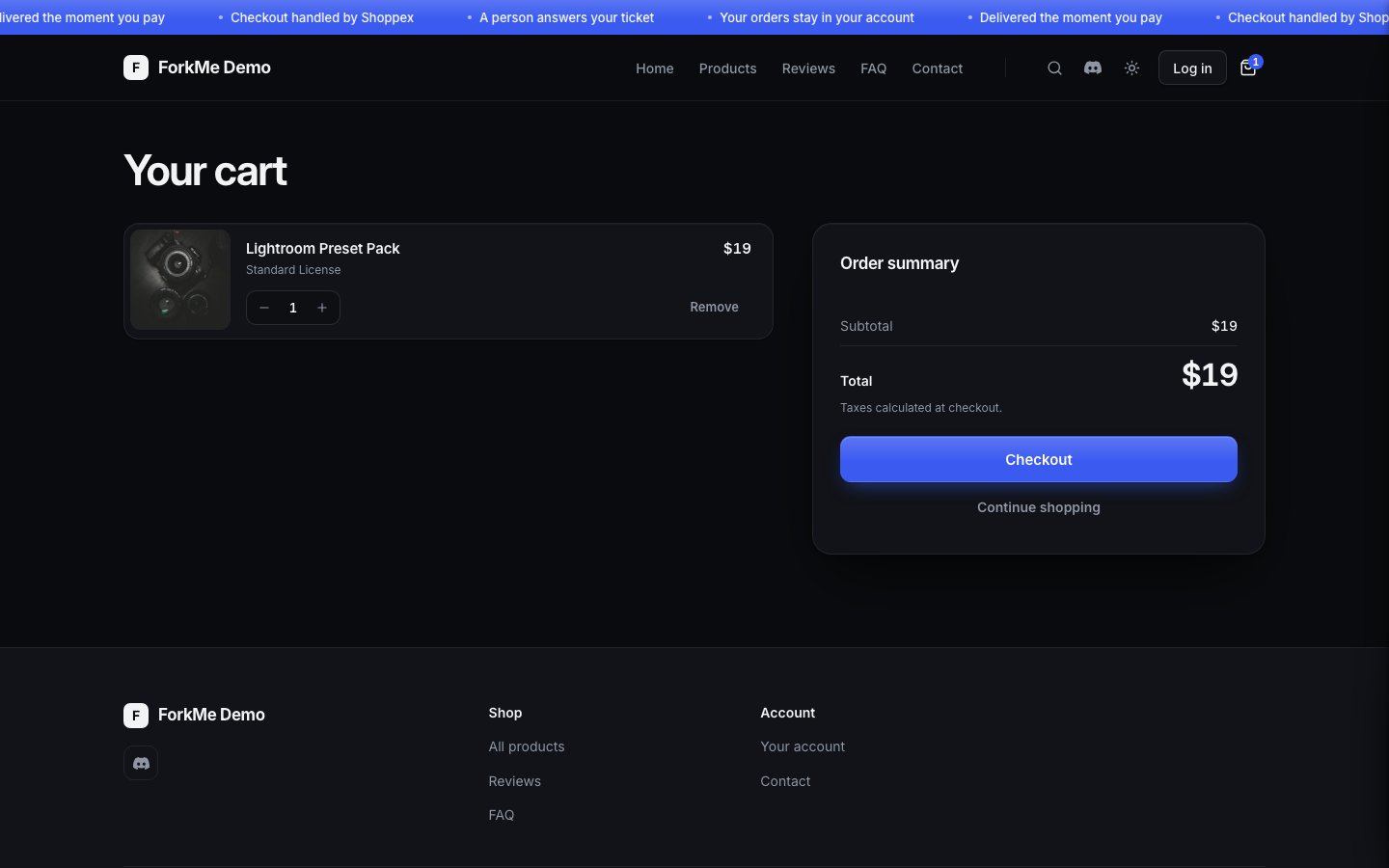
Cart page with the order summary
Eject the account
When hooks are not enough and you want to own the account’s markup, copy it into the project:- Copy
node_modules/@shoppexio/storefront-react/eject/account/tosrc/account/. - In
src/pages/account-page.tsx, importAccountPagefrom../account/account-pageinstead of@shoppexio/storefront-react/account. - Keep the
@shoppexio/storefront-react/account.cssimport; it styles the copied markup.
Physical products
ForkMe sells physical products next to digital ones. A physical product’s card says Ships to your address instead of a delivery time. When the cart holds one, the summary says shipping is calculated at checkout, because the cart total does not include it. If the shop does not ship physical products, checkout refuses the cart and says This shop does not ship physical products yet.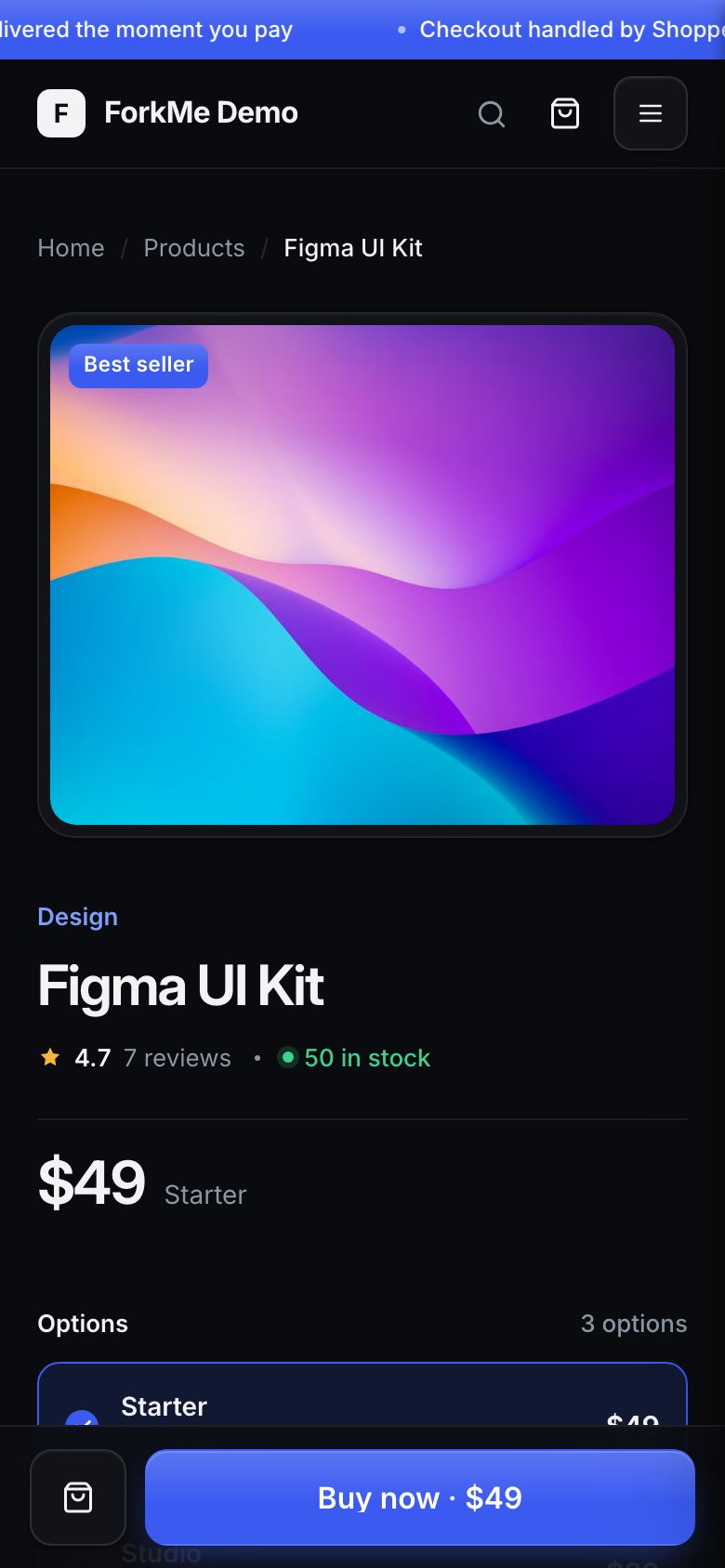
Mobile product page with the sticky buy bar
Build and deploy
Every push and every import runs the same pipeline: install from the lockfile, build in a sandbox with no network, upload the output as a build that never changes. A failed build leaves the published storefront untouched.package.jsonandbun.lockstay committed and in step; the sandbox installs them frozen.vite.config.tskeepsbase: './', so the build works under a preview path and on your domain.- The Shoppex SDK stays a script tag in
index.html, not an npm import. - Elements that render content keep their
data-sx-configattribute; the Design tab uses it for click-to-select. - An option you add to a parser goes into
content-schema.jsonin the same change.
@shoppexio/storefront-react, change the exact version in package.json, run bun install, then bun run typecheck && bun run test before you push. The package’s CHANGELOG.md lists what changed.
See Code storefront development for the globals every code storefront reads, Build your own theme for replacing the design entirely, and Code storefronts for import, export and the build limits.